I’m sitting in the back of a Waymo navigating the busy streets of San Francisco autonomously with the help of 29 external cameras, six radar, and five lidar sensors all connected to an AI model. For just $15, I get to witness a marvel of modern technology, but there’s one thing bothering me.
The music in here is terrible.
Waymo’s music-streaming feature has felt outdated compared to its futuristic technology. Until recently, passengers were limited to a few music stations playing lo-fi beats, smooth jazz, K-pop, or other genres. If they wanted something specific, they had to use another app from Waymo’s parent company Alphabet.
For iPhone users, this meant downloading the Google Assistant app and configuring it to connect to Spotify. Even then, the service was unreliable.
As I rode in a robotaxi filled with advanced technology, I couldn’t understand why Waymo hadn’t found a simple way to stream music from my phone to the car’s speakers — something automakers and audio manufacturers mastered decades ago.
That’s why I was pleasantly surprised when Waymo launched a Spotify integration, allowing users to seamlessly link music streaming and robotaxi services. I quickly connected the services and hailed a Waymo to test it out.
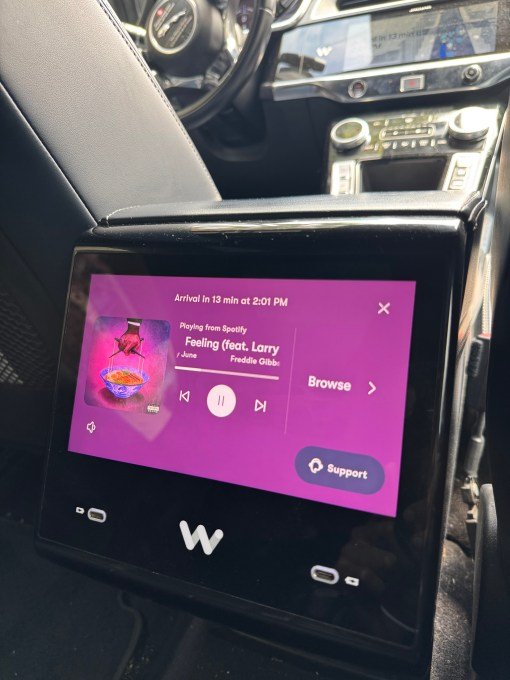
Waymo’s Spotify integration may not be groundbreaking, but it enhances the user experience. It works smoothly, as I would expect when playing music in my car in 2025. Listening to my playlist in a Waymo makes the robotaxi feel like my own space, which is why I choose Waymo.
Tech and VC heavyweights join the Disrupt 2025 agenda
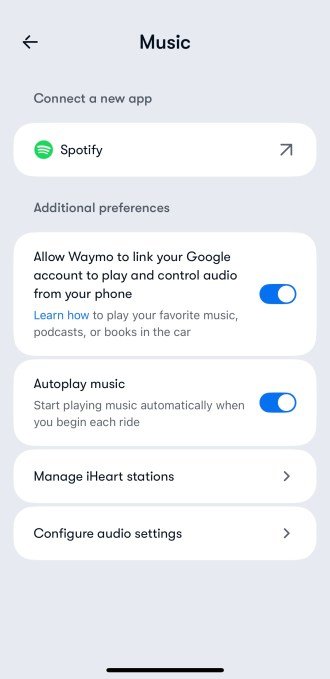
To set it up, open the Waymo app, go to the “Music” section, and connect to Spotify. You can then authorize Spotify to connect to Waymo, giving the robotaxi provider access to your listening information.
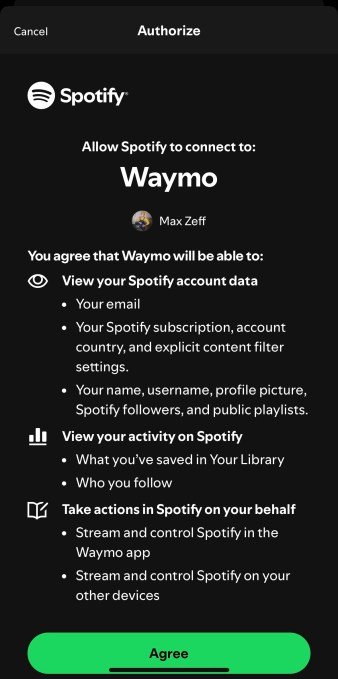
Apple Music users will likely want to stream their music and podcasts in Waymos soon. Waymo spokesperson Chris Bonelli mentioned the company is exploring new personalization options, but no Apple Music integration timeline was provided.
After linking my Waymo and Spotify accounts, I hailed a Waymo and got in. The touchscreen in the back seat had a Spotify option, and tapping it started playing my podcast from where I left off.

You can turn on or off “autoplay” in Waymo’s Music settings, so the robotaxi will start playing your Spotify song or podcast upon entry. While convenient, it could lead to awkward situations if you’re listening to a crime podcast and then ride with colleagues.
Using the touchscreen, you can choose from custom playlists like your “Daylist.” However, recent albums, audiobooks, or podcasts are not included in the selection.

Now, your Spotify app controls the music in Waymo. Simply select a song or playlist on your phone and stream it throughout the vehicle, similar to Apple CarPlay or a bluetooth speaker.
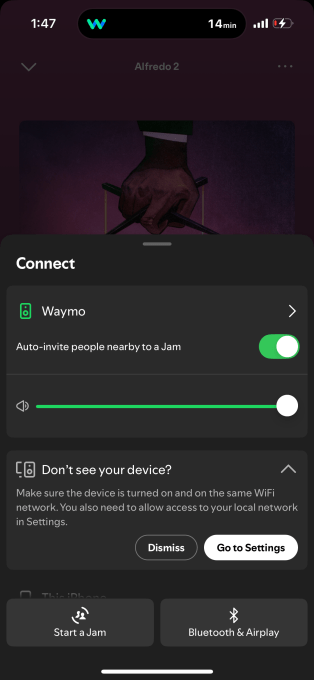
Overall, the Spotify integration personalized my robotaxi experience. I could adjust the car’s speaker settings, enhancing the user experience and potentially retaining customers — exactly what Waymo needs.