Apple’s iPads already come equipped with productivity tools like Notes, Calendar, and Reminders, but if you’re looking to take your organization and productivity to the next level, there are plenty of apps available to help you do just that. These apps can transform your iPad into a versatile computer capable of handling a wide range of tasks for personal, work, and school use.
Goodnotes
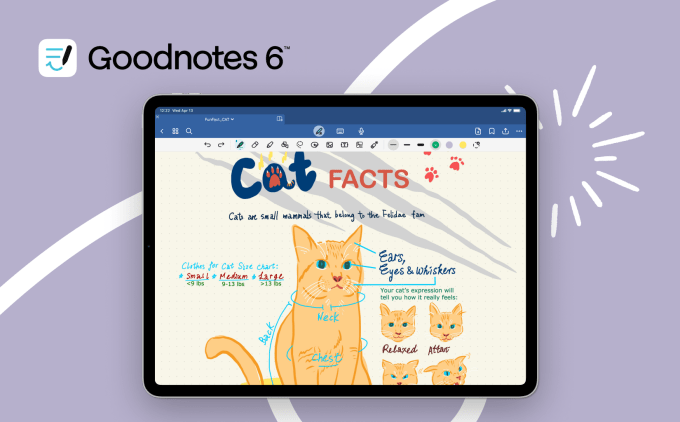
Goodnotes is a highly popular iPad app for good reason. It caters to those who prefer to handwrite notes using an Apple Pencil, allowing for a mix of handwritten and typed text, along with images, stickers, and doodles on the same page. The app enables the creation of digital notebooks with blank or ruled paper for various purposes like notes, checklists, and planners. Users can export their notebooks or specific pages into PDFs and other files. Goodnotes is also great for drawing and sketching, offering a user-friendly interface suitable for quick sketches or diagrams. Additionally, users can record audio notes synced to their written content, utilize AI for note summarization, and more.
TickTick
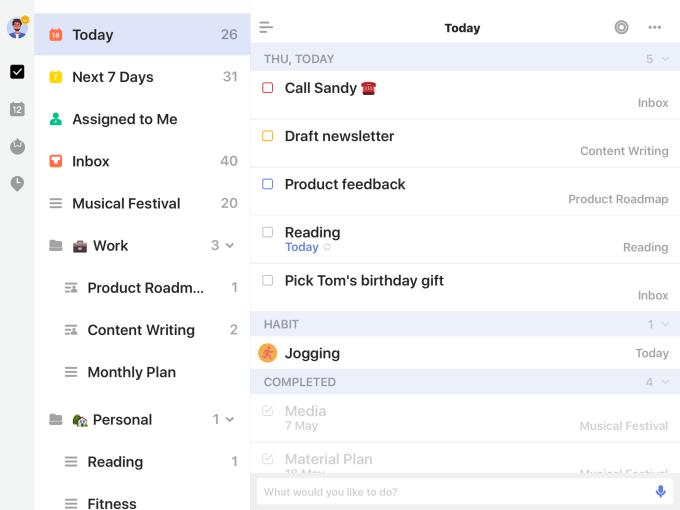
For those seeking a more advanced to-do list and task management app than the iPad’s built-in Reminders, TickTick is a solid choice. This app supports both personal and professional task management, allowing users to sync tasks across all devices and integrate with their preferred calendar app. Features include checklists, recurring tasks, attachments, task list sharing for collaboration, habit tracking, and the ability to turn emails into tasks. Users can assign tags and priorities to tasks, and utilize the Pomodoro Technique for focused work intervals. TickTick offers a free version as well as a paid option with additional features like multiple reminders per task.
Forest
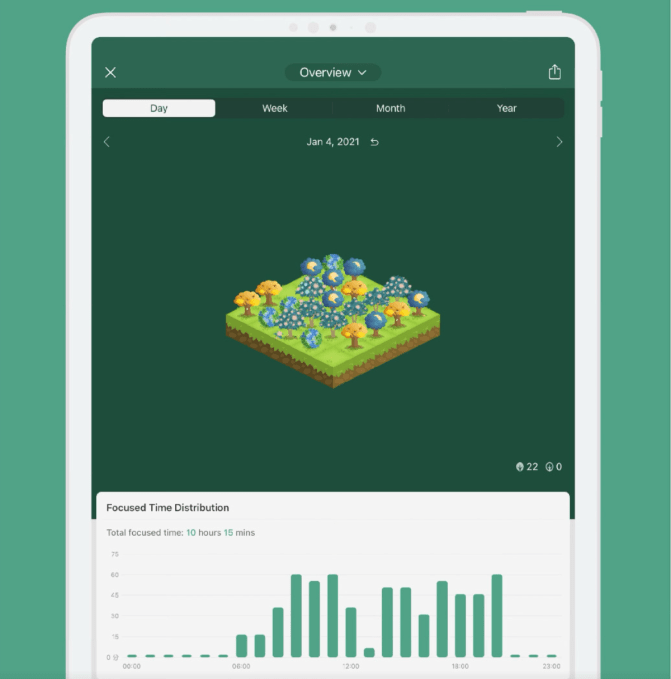
Forest is a unique app that gamifies productivity while contributing to environmental efforts. By planting virtual trees that grow as users stay focused on tasks, this app incentivizes productivity and discourages distraction. Users can set “Allow Lists” for productive apps, track their productivity, and visualize their progress through a digital forest. By earning coins in the app, users can contribute to real tree planting initiatives around the world. Forest offers a paid download with in-app purchases to support faster tree growth and real-world tree planting.
Notion: All-in-One Productivity App
Notion is a versatile app that caters to various productivity needs, such as note-taking, task management, collaborative work, and more. With Notion, you can streamline your workflow by integrating different apps like Slack and Dropbox, allowing you to consolidate all your tasks in one place. The flexibility and customization options offered by Notion make it an ideal tool for organizing personal, work, academic, or creative projects.
The app provides templates for creating diverse projects like travel planners or product roadmaps, making it easier to kickstart your productivity journey. Notion’s AI feature assists in brainstorming ideas and extracting actionable insights from data, optimizing your workflow. Notion offers a free plan for personal use, with additional Plus and Business plans available for small groups and companies, respectively.
Crouton: Simplifying Meal Planning
Meal planning can be time-consuming, but with Crouton, organizing recipes and grocery lists becomes a breeze. This app allows you to import recipes from websites or scan them from physical cookbooks, ensuring all your recipes are in one convenient location. You can plan your weekly meals and generate meal plans when you need inspiration. The app also includes in-app timers for time-specific recipe steps and enables recipe sharing with friends and family. While basic features are free, a yearly subscription unlocks unlimited recipes and advanced functionalities.
Freedom: Focus and Productivity Booster
Freedom is an app designed to eliminate distractions and enhance your focus during work sessions. By blocking selected websites and apps across all devices for a specified period, Freedom aids in boosting productivity. Whether you start a session immediately or schedule recurring ones, Freedom offers customizable distraction-free environments. The app also provides a variety of ambient sounds to help you concentrate, along with valuable articles on productivity and digital wellness. With a monthly subscription fee, Freedom is an affordable solution for improving work efficiency.
Notability: Comprehensive Note-Taking Tool
Notability is a comprehensive note-taking app suitable for students, professionals, and hobbyists alike. With features like text, audio, and Apple Pencil support, Notability offers diverse ways to capture ideas. The app allows for easy searching of handwritten notes and documents, along with AI-generated summaries and quiz functionalities. Notability’s template gallery includes various options for planners, study notes, and to-do lists, catering to different needs. While the app is free, a monthly subscription grants access to advanced features like math conversion and unlimited notes.
Todoist: Streamlined Task Management
Todoist is a task management app that helps you stay organized and productive. With features like project tracking, priority levels, and due dates, Todoist simplifies task planning and execution. The app’s intuitive interface and seamless synchronization across devices make it easy to manage your to-do lists efficiently. Todoist also offers collaboration options, recurring task settings, and productivity reports to enhance your workflow. A premium subscription unlocks additional features for a more streamlined task management experience.
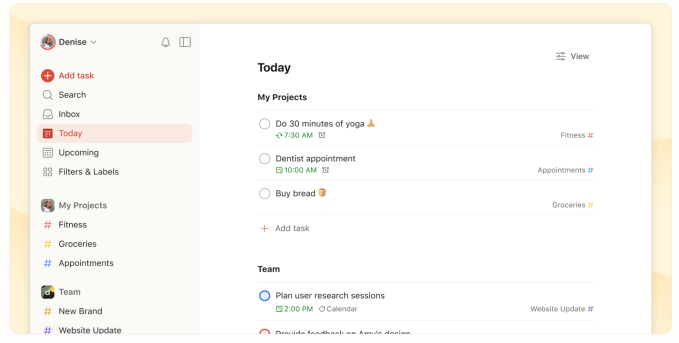
Todoist is a simple app that allows you to organize tasks using natural language. Whether it’s work, personal, education, or management-related tasks, Todoist lets you easily plan and structure your life.
Efficient Task Management
With Todoist, you can categorize tasks into “Today,” “Upcoming,” or custom filters to keep focus on what’s important at the moment. This ensures you only see relevant tasks when you need them, helping you stay organized and productive.
Integration and Accessibility
You can sync Todoist with your calendar, voice assistant, and various tools like Outlook, Gmail, and Slack. This integration allows for seamless task management across different platforms, including iPad, iPhone, Apple Watch, desktop, and more.
While the basic features of Todoist are free, you can access additional features like an AI assistant and calendar layout by subscribing to the “Pro” plan for $4 per month. Stay updated with new information as this story is regularly updated since its original run in September 2024.